
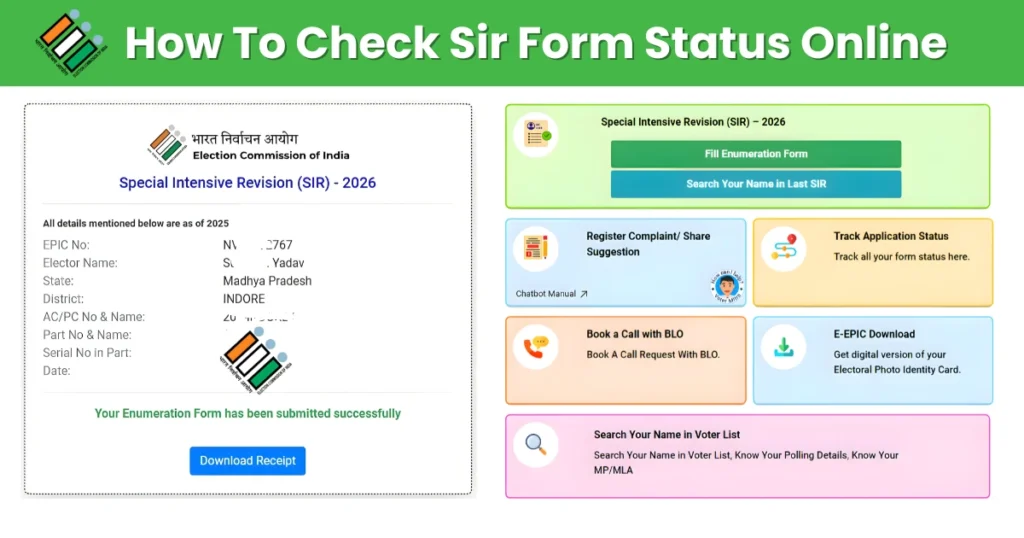
The Government of India Recently Launched a Special Intensive Revision (SIR) Program. This Voter List Verification is being Carried out by the Election Commission of India to Maintain Greater Accuracy and Transparency in the Voter List. SIR is a Focused and Large-scale Exercise in which Booth Level Officer (BLO) Will go door-to-door to Physically check and Verify Voter Card Holder information through official Enumeration Form. This entire Process Will help the Election Commission of India identify Eligible Citizens who need to be added to the Electoral roll – Such as First-time voter, those who have Recently moved to Another city, or those whose Name were left out – and also Remove Duplicate, outdated, or invalid entries. This Campaign will also Ensure that Every eligible voter’s name is correctly listed. After submitting your SIR Democratic Process form correctly, citizens of the country can Easily check the status of their SIR Form online or through BLO to Confirm whether their Details have Been updated Correctly. This Will ensure Transparency and Timely Corrections before the Elections so that the Election Commission of India can Manage the upcoming Elections in the Country Effectively.
What is Special Intensive Revision (SIR)?
Special Intensive Revision (SIR) is a Detailed Voter List Update Program being implemented by The Election Commission of India Across the Country. Under this SIR Model, Booth Level Officers (BLO) Conduct door-to-door Verification to add New Voter to the Voter List, Correct any error, and Remove duplicate or ineligible Entries. This SIR Program Will Create an inclusive and up-to-date Voter roll, Ensuring fair Elections across the Country. Voter Card holder Can check the status of their SIR form online from home or Confirm their Registration through a BLO officer, and if any information is incorrect, they Can have it Corrected if Necessary. This SIR Campaign will Create a Clean Voter card Database across the Country, Strengthening Democracy.
How to Check Your SIR Form Status Online Guide
Step 1: Open Your Web Browser and go to the official Election Commission Voter Services Website.
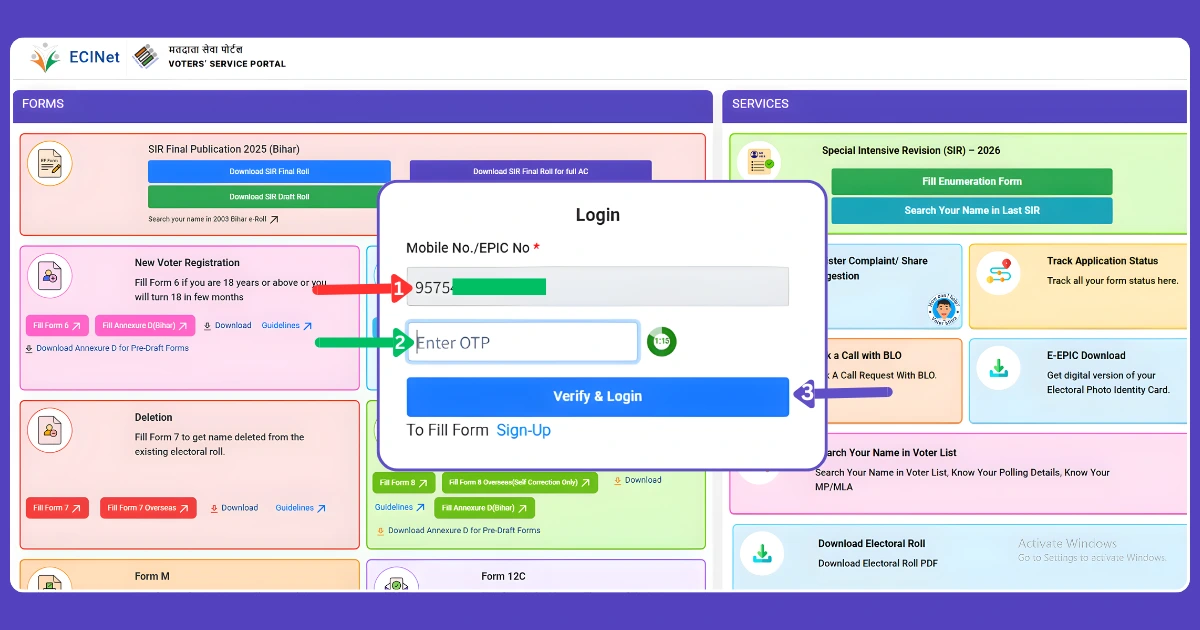
Step 2: On the Homepage, Look for the (Fill Enumeration Form) Option and Click it. A Login or Signup Popup will Appear.
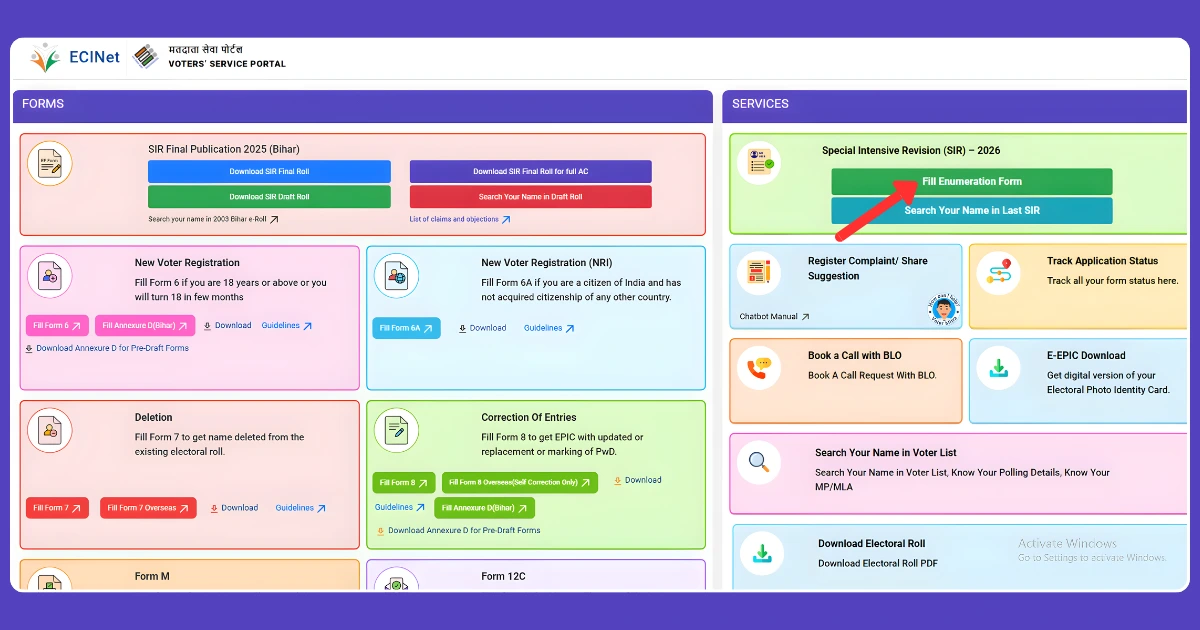
Step 3: If your a New user, Select (Sign Up) Enter Your Mobile Mumber, Fill in the Captcha, and Complete the Registration Process.
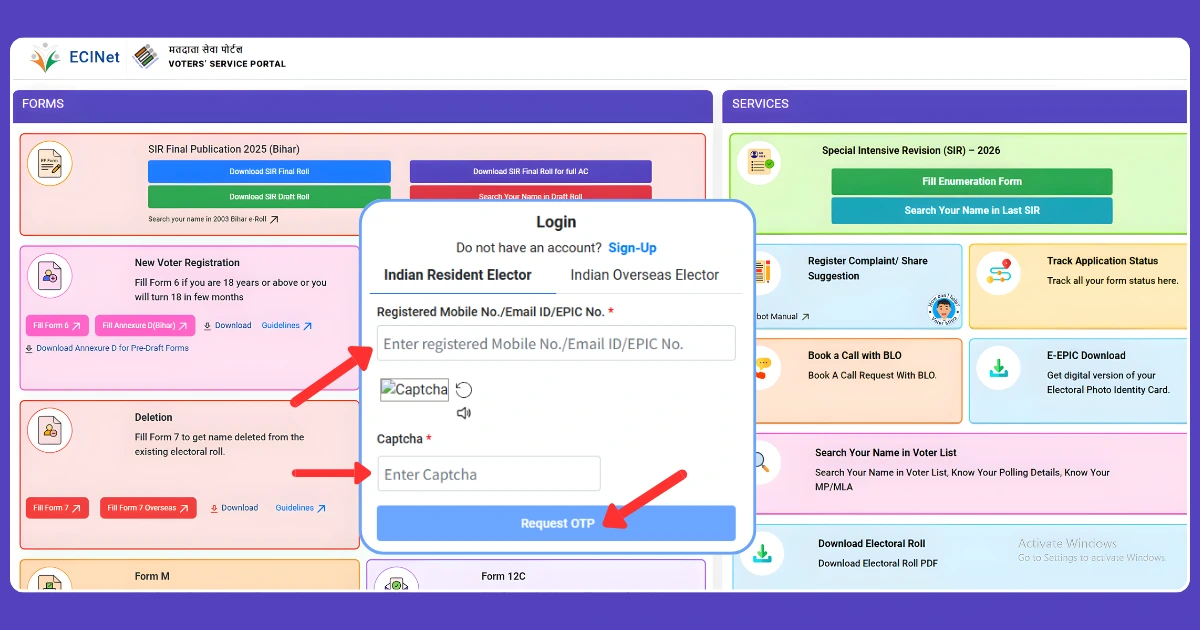
Step 4: If your an Existing User, Click (Login) type in Your Registered Mobile Number, Enter the Captcha, and Choose (Get OTP) Once you Receive the OTP, Enter it and Confirm to Access Your Account.
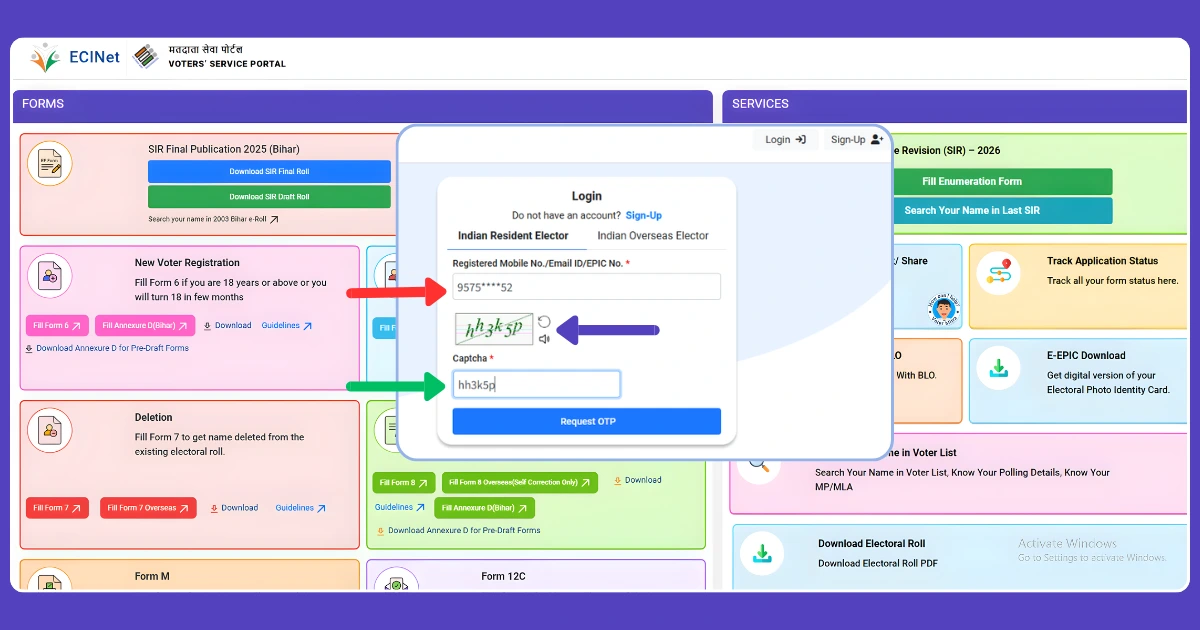
Step 5: Once your Logged in, Your Name Will be Visible at the Top of The Dashboard. Simply click on (Fill Enumeration Form) Again to Continue.
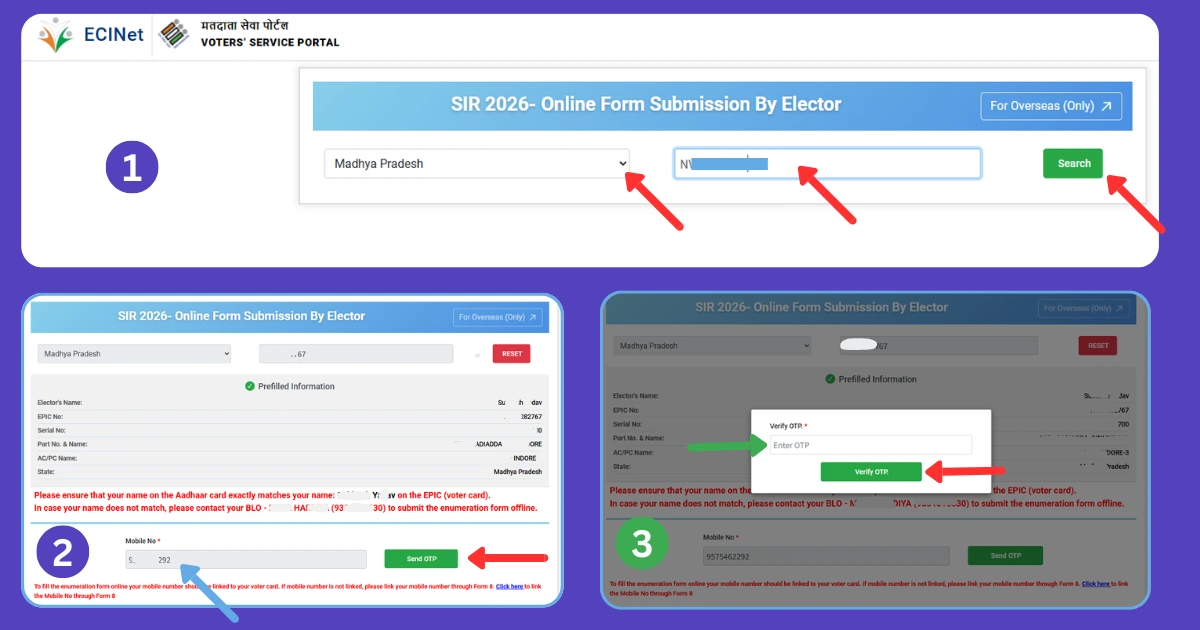
Step 6: Next Choose your State from the List, Enter your EPIC (Voter ID) Number in the Given Field, and Click the (Search) button to Proceed.
Step 7: If your Form has already Been Uploaded, you ll see a Message Stating Your form has already been submitted with mobile number XXXXX… For More detail, contact your BLO. This Confirms that your Booth Level Officer has Successfully Uploaded Your Form.
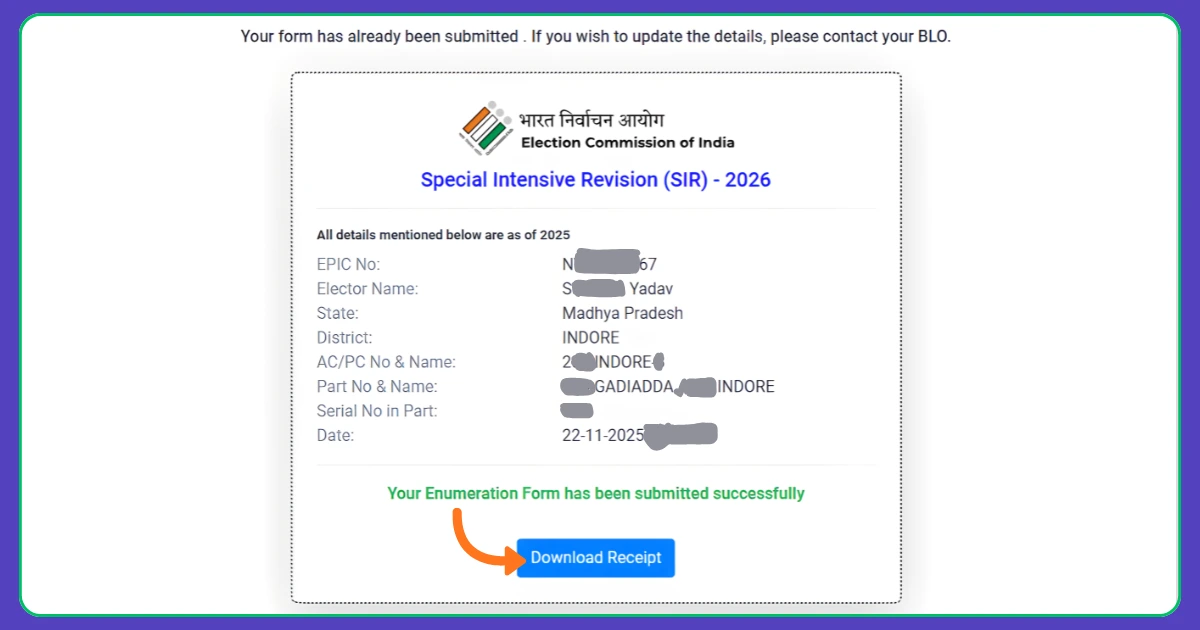
Step 8: If Anything Looks Incorrect-such as an Unfamiliar Mobile Number or a (Submitted) Status even though You didn’t Submit The Form-reach out to Your Local BLO Right away to get it Corrected.
Note: BLO officials will Continue Uploading Forms until December 4th, so if your Status hasn’t Been Reflected yet, dont Panic or Call the official Repeatedly. Your Form update may be Pending. BLO are currently handling a Large Amount of Work and may Experience Some Delay.
Conclusion
Checking your SIR Form status Online is an Important Step to ensure that Your voter ID information is Updated Correctly During the Special Intensive Revision (SIR). Because SIR is a Large-scale Voter Verification Program, the Election Commission Relies on citizens to Verify their Detail and Report any Discrepancies as Soon as Possible. By Logging into the https://voters.eci.gov.in Portal and Tracking the status of your SIR Form, you can Confirm whether Your BLO has uploaded your Information, identify Error, and make Corrections before the Voter List is Finalized. Remember, it may Take time for Voter data to be Updated, as BLO Will Continue to Accept Form Submissions Until December 4th.